
Free Trial
Try Rendit before you commit.
$0one time
100 free credits- ✓ Test precision editing
- ✓ Try different materials
- ✓ Create variations
- ✓ Evaluate image quality
Change materials, furniture, finishes and details without regenerating the entire image.
Trusted by design teams worldwide
Generic AI regenerates the image. Rendit changes only what you select.

 You asked to change the sofa.But the AI also changed the windows, lighting, decor…

 Only the sofa changed.Everything else stays exactly the same.
Great for creating new images. Not built for precise edits.
 Regenerates the entire image
Changing one object can affect the rest of the scene.
 Loses context and details
Architecture, proportions and surrounding objects may change.
 Requires a prompt — and multiple attempts
Getting the right result often takes time.
Precision editing for real-world workflows.
 Edits only what you select
Change a sofa, floor, wall, window — or any detected surface.
 Keeps everything else intact
Preserves the architecture, composition and all surrounding details.
 Built-in operations, no prompt needed
Choose a material, style or operation and get the result instantly.
Professional tools built to make the exact change you want — while keeping everything else intact.
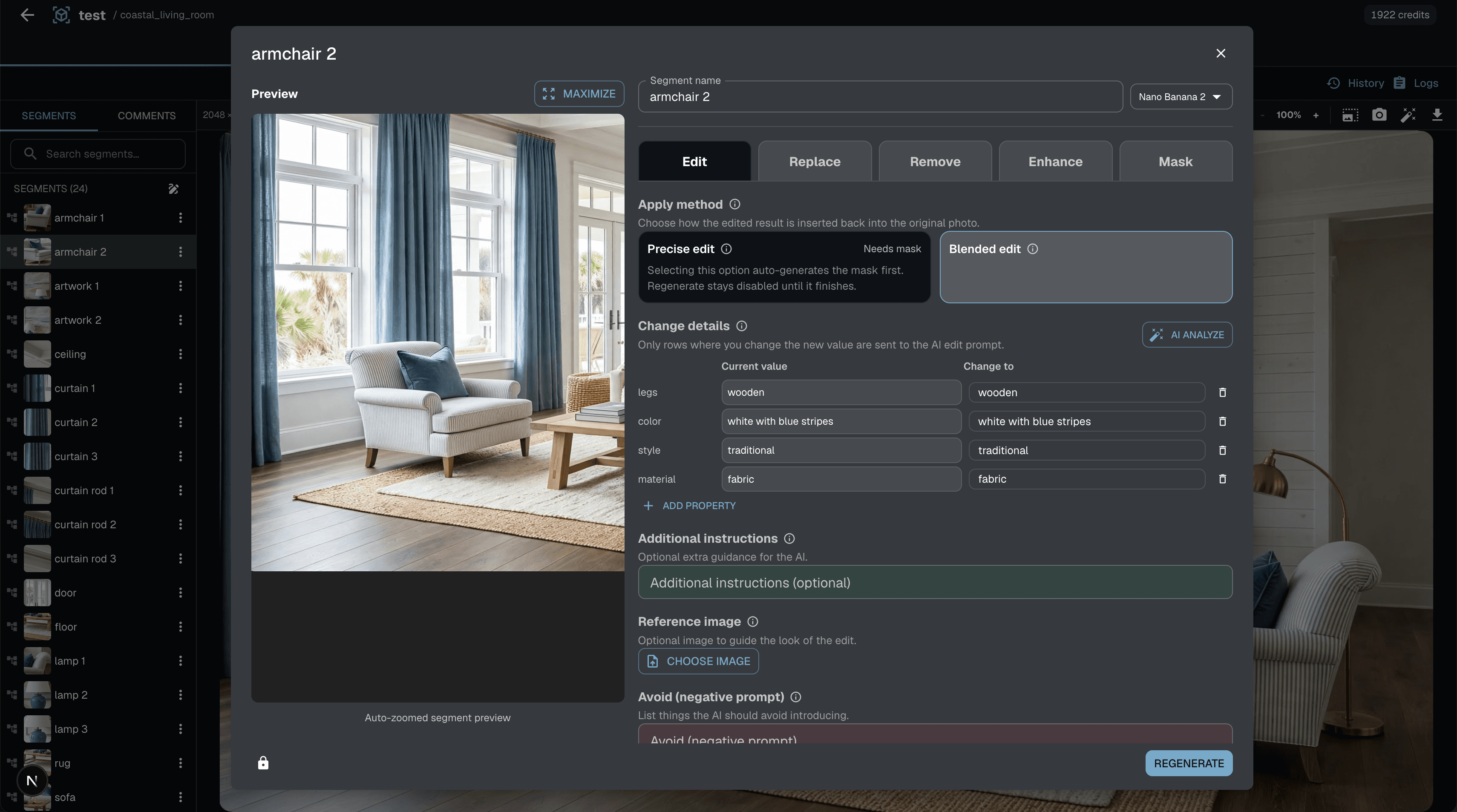
Every surface and object is automatically detected. Select what you want to change — Rendit changes it without affecting anything else.
Increase image resolution as far as your workflow requires. Go beyond 4K with no fixed resolution ceiling.
Create a new branch from any point in your work. Try a different material, layout, style, or idea — then return to any version whenever you want.
See every option side by side. Compare different versions instantly — before deciding which direction is right.
Leave comments for your team. Share any version with clients or partners by link. Invite members to work directly in your project.
Comments · External sharing · Project members
More control. More ways to work.
Mask correction · Segment expand · Camera angle · Outpainting · Floor plans
Compare · Save as new view · Undo / Redo · Version history · Fork & Revert
Multi-user editing · Per-view access
Start free. Upgrade when Rendit becomes part of your workflow.
Try Rendit before you commit.
For individual designers.
For professional workflows.
For design teams.
Materials, furniture, lighting, architectural elements and more.
Each AI operation uses a defined number of credits.
Rendit is designed for targeted editing of selected areas.
See the current commercial usage terms for your plan.
Yes. Comments and approvals are built into the workflow.
See the current privacy and storage policy.
